
9. Everest Cast Relay
n Everest Cast, relays are used to temporarily broadcast the stream of an entirely different online radio station through your own station’s channel. This is different from a live DJ connection, as it pulls the source stream from an external URL rather than an encoder on your computer.
How Relays Work
Relays are primarily used within the Scheduler feature. The system allows you to:
- Broadcast Affiliate Shows: Integrate content from partners or affiliated stations during specific time slots.
- Share Content: If you manage several stations, you can easily feed one stream into another.
- Guest Spots: Host shows that originate from a third-party stream source.
Setting Up a Relay Event
To schedule a relay, you first define the external stream source and then set up a scheduled event to trigger it.
1. Define the Relay Source
- Navigate to the “Relays” section in the main menu.
- Click “Add Relay” or similar to define a new source.
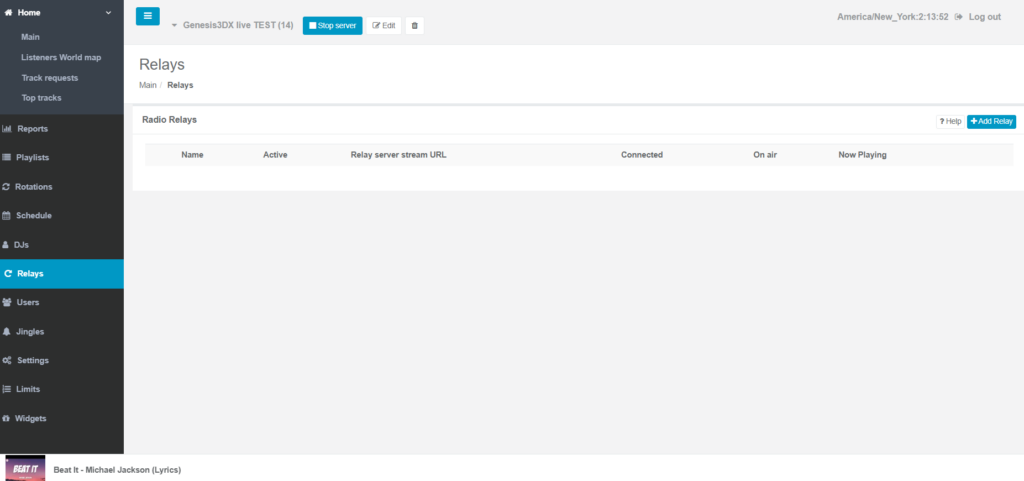
- Enter the required details:
- Name: A descriptive name for the relay (e.g., “News Feed at 5 PM”).
- Relay URL: The full public streaming URL of the external station (e.g.,
http://sourceip:port/stream– only MP3 and AAC formats are supported). - Password/Mountpoint: If required by the source stream.
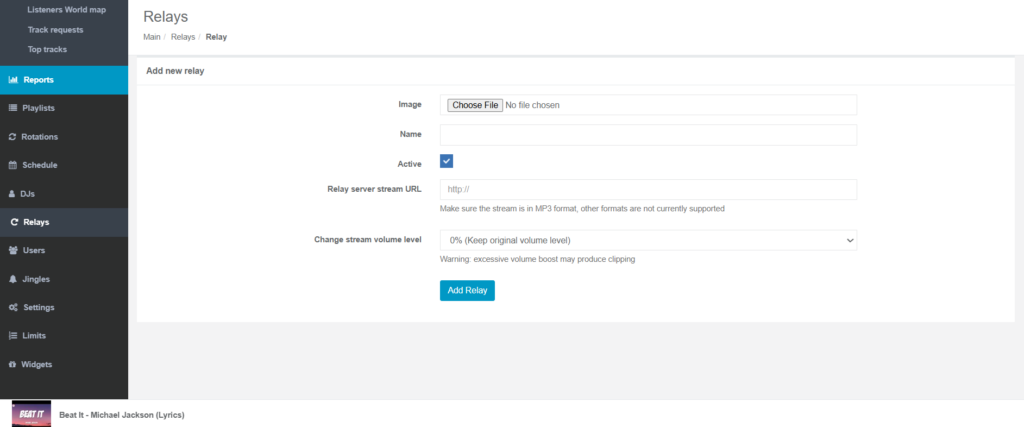
- Save the relay source.
2. Schedule the Relay Event
Once the source is defined, you schedule it like any other playlist:
- Go to the “Scheduler” section.
- Create a “New event” at a specific time slot.
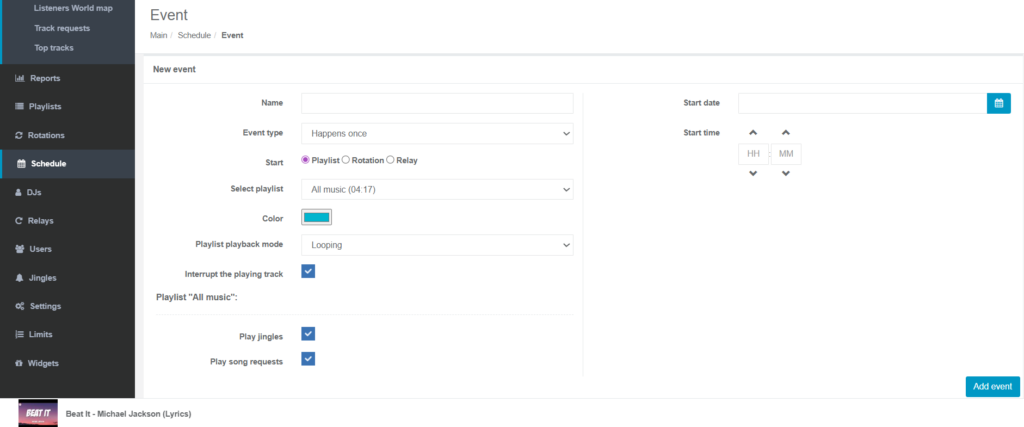
- In the event details, check the box for “Start relay”.
- A dropdown menu will appear; select the specific relay name you defined in Step 1.
- Set the start time and duration of the event (or set a subsequent event to start your regular programming again).
- Save the scheduled event.
At the designated time, the AutoDJ will stop, and your station will automatically start broadcasting the external relayed stream.