
Welcome to DJ Knowledge Base
13. Everest Cast Limits
In Everest Cast, “limits” refer to the usage caps imposed on your radio station account by your hosting provider. These limits define how many resources your station can use.
Where to View Your Limits
You can typically view your specific account limits in the Limits section of your panel:
Look for a menu item “Limits”,
- This section should display your allocated limits and current usage.
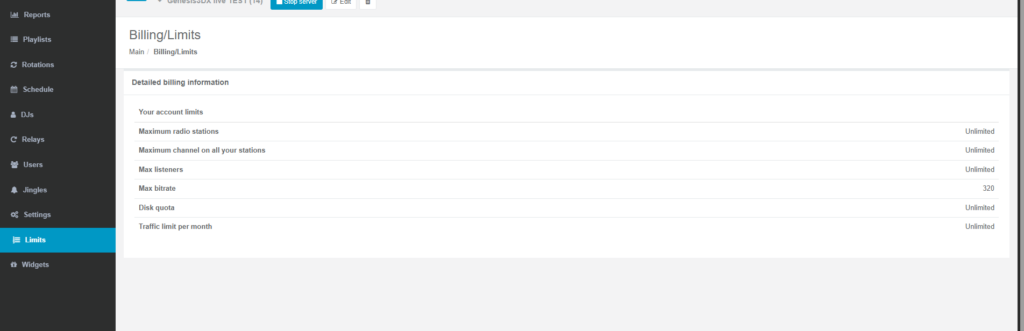
Common Types of Limits
The limits on your account typically fall into three categories, as defined by your service package:
- Listeners Limit:
- This is the maximum number of people who can listen to your stream simultaneously.
- You will see this summarized on the main dashboard for each channel as
Current/Peak/Maximumlisteners. - Attempting to exceed this limit will result in an error message for new listeners trying to connect.
- AutoDJ Storage Space (Disk Quota):
- This is the maximum amount of server disk space (usually measured in GB) allocated for your uploaded MP3 files, jingles, and recordings.
- You can monitor your used versus total storage space in the file manager or profile view.
- Bandwidth/Traffic Limit:
- While many plans offer “unmetered” or “unlimited” bandwidth, some providers or reseller plans may impose a monthly data transfer cap.
- You can see the traffic used for each channel listed in bytes/MB/GB on the main dashboard.
Understanding these limits is crucial for managing your station effectively and potentially upgrading your hosting plan if you regularly reach capacity.