
Welcome to DJ Knowledge Base
11. Everest Cast Settings
In the Everest Cast Broadcaster Panel, the “Settings” menu is the central hub for configuring your station’s general operation, branding, automation, and security features.
Here are the primary sections and configurations available in the “Settings” menu:
General Settings Tab
This section contains fundamental configurations for your station:
- Account Password: Change your primary broadcaster panel login password. This password is also used for FTP access.
- FTP Information: View your FTP Hostname and Username required for bulk media uploads (the password is the same as your panel password).
- Station Details: Edit your station’s name, description, genre, website URL, and potentially upload a station logo.
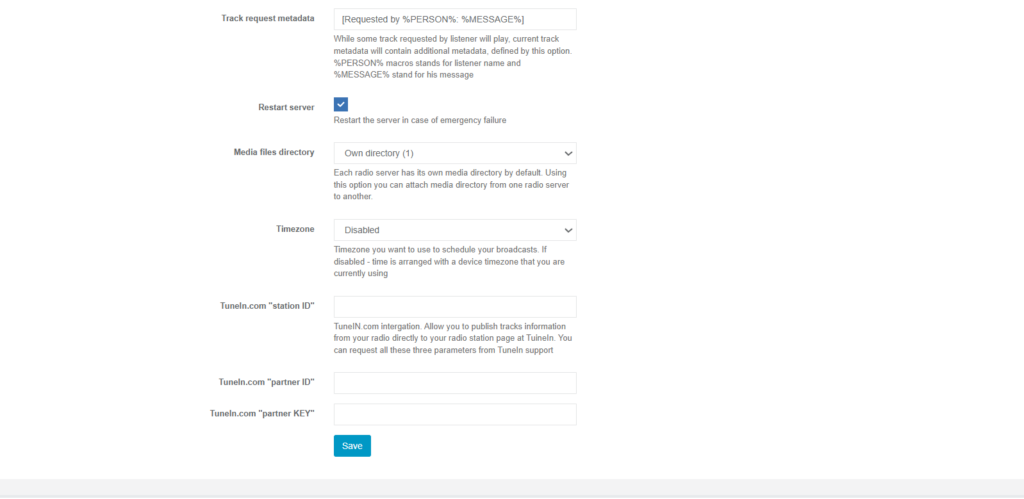
- Time Zone: Ensure your local time zone is set correctly so that scheduled playlists and reports run on time.
- API Credentials: Set up integration with third-party services like TuneIn Radio API credentials to list your stream in directories.
AutoDJ & Automation Settings
These settings control how your automated system operates:
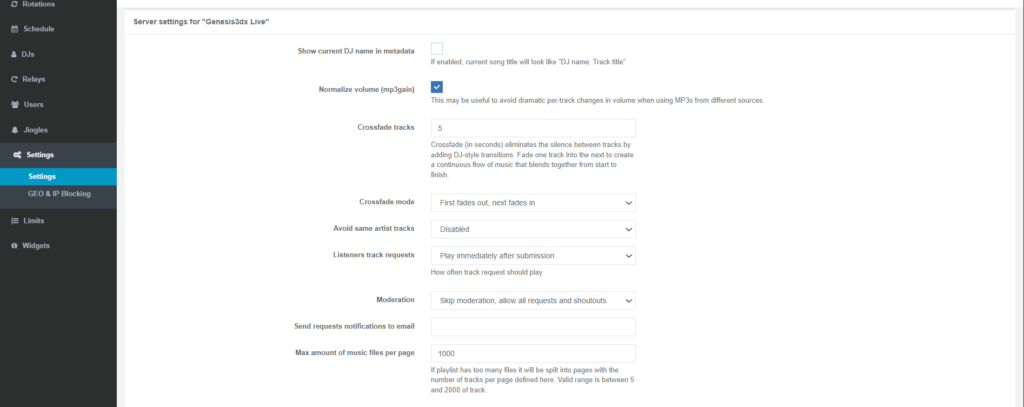
- Crossfade Mode: Adjust how songs transition between each other, allowing for smooth fades (“First fades out, next fades in”) for a professional sound.
- Jingle Interval: Define how often jingles or station IDs are automatically inserted into your standard music rotation (e.g., every 5 or 10 tracks).
- Track Repetition: Configure rules to prevent the same artist or track from playing again within a set time frame or number of songs.
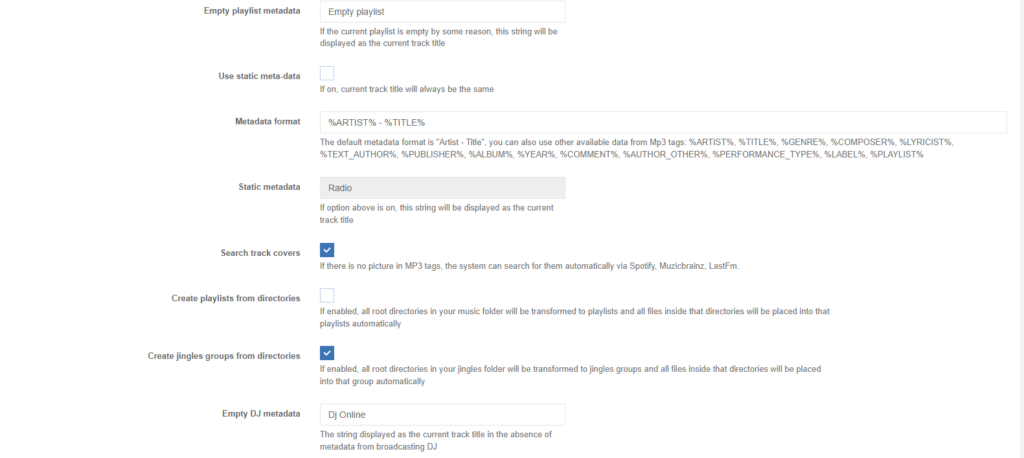
- Metadata Control: Decide whether to use dynamic metadata (showing current track title) or static metadata (hiding track titles).
Advanced Settings
The “Settings” menu also provides access to advanced security and connectivity features:
- Port 80 Proxy: Enable this option to stream over port 80, which helps listeners behind strict corporate or home firewalls that may block other ports.
- Directory Listing: Configure the settings (usually in the “Advanced” tab of the channel editor) to list your SHOUTcast/Icecast station in public streaming directories, making it discoverable by a wider audience.
- Geo Settings: This utility (sometimes found under a separate “Utilities” menu) allows you to block your stream from specific countries based on listener IP addresses.
- Admin/Stats Passwords: Set specific passwords for the standard Icecast/SHOUTcast management interface or the detailed statistics pages.