
4. Everest Cast Track Requests
Everest Cast includes a comprehensive automated system that allows listeners to request songs through a widget you embed on your website. Requests are added to a queue and played by the AutoDJ at intervals you define.
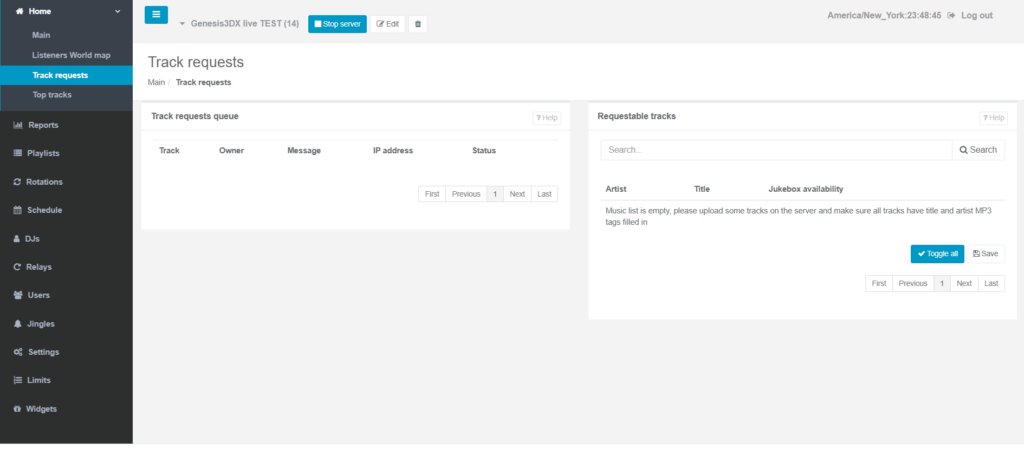
How to Manage Track Requests
1. Enable and Configure Requests in Settings
You need to define how the request system operates within your main station settings:
- Log in to your broadcaster panel and navigate to the “Settings” menu.
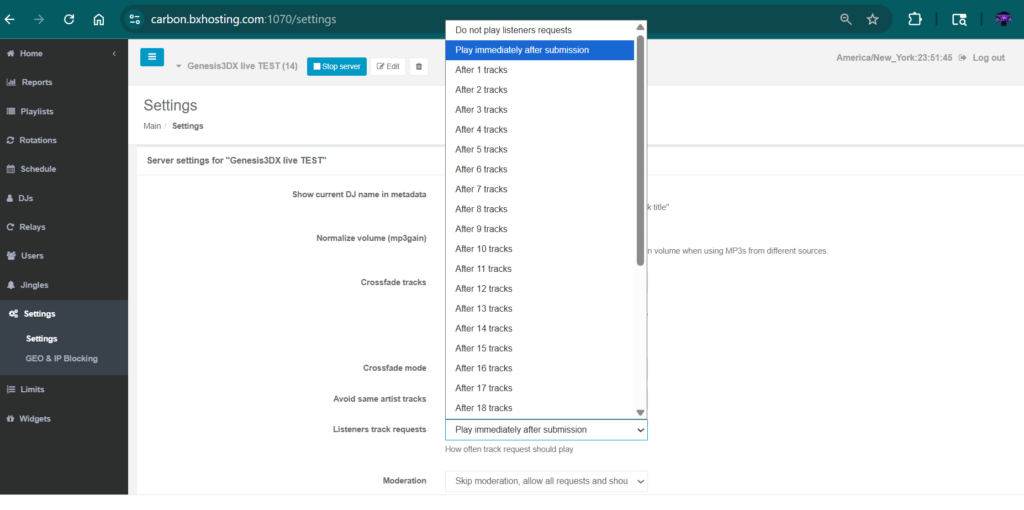
- Look for the section titled “Listeners track requests”.
- Configure the interval between song requests (e.g., how many regular tracks play before a requested track is inserted).
- You can customize the metadata displayed when a requested song plays (e.g.,
[Requested by %PERSON%: %MESSAGE%]).
2. Designate Requestable Tracks
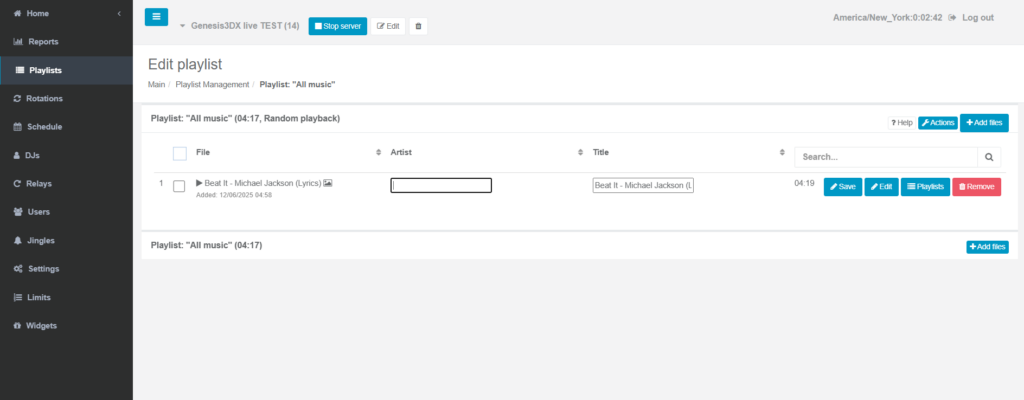
- Only tracks that you have uploaded to the server and that have correct “artist” and “title” meta tags can be requested.
- Fill artist name and song below then click save.
- Go to the “Home” menu and select “Requestable tracks”.
- In this section, you can specifically enable or disable the request function for individual tracks by checking/unchecking the box next to them.
- You can also generally allow requests from a whole playlist in the “Scheduler” section settings.
3. Integrate the Request Widget on Your Website
To allow listeners to actually make a request, you need to use the provided widget code:
- Go to the “Widgets” section in your navigation menu.
- Select the “Track Request Widget”.
- Customize the widget’s appearance if desired.
- Copy the HTML code provided and paste it into the HTML of your website.
4. Monitor Requests in the Panel
Once the system is active, you can monitor incoming requests:
- A dedicated section (usually under “Home” or “Requests”) lists pending requests, the listener’s name/message, and their IP address.
- You can view the request queue, manually approve/deny requests, and block spam IP addresses if needed.
The system works by adding requests to a special queue that the AutoDJ pulls from based on your configured intervals, ensuring a smooth, automated process.